




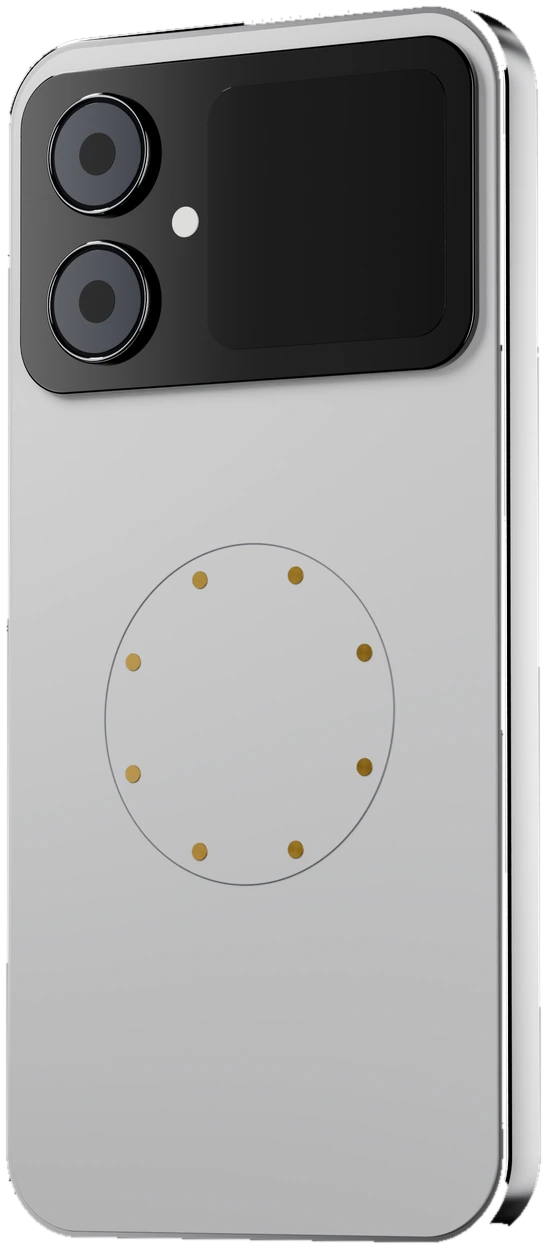
Taku PhoneThe phone that ships with Taku OS.Meet Taku Phone
Every era needs its OS for your phone
We're an operating system company building for an era when AI is simply how computers work.
The OS for your “I wish it could…” moments.
Taku OS is designed to make every layer of your device customizable—from the interface and apps to hardware and core system behavior.
01
One layer for everything your agent needs.
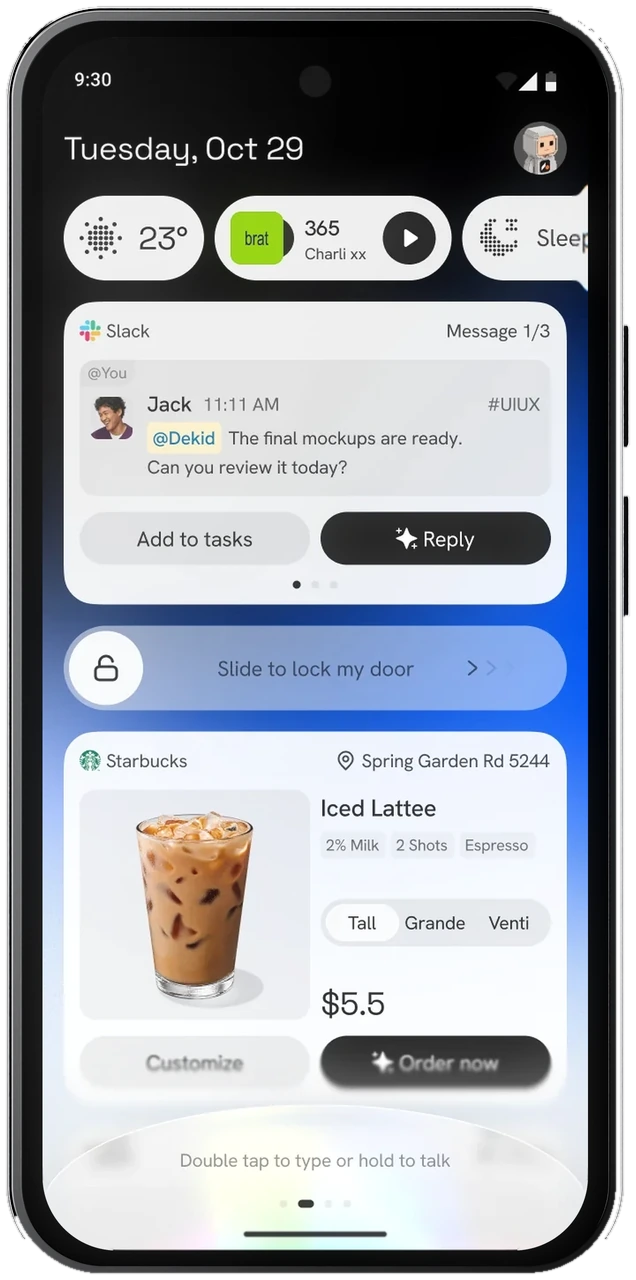
The Feed brings your context, commands, actions, and capabilities together in one agent layer. It moves you from opening apps to getting things done.
Apps appear as live cards, each in its own design. When the agent makes a suggestion, it returns to the conversation, ready for a one-tap response.
Tap the voice input at the bottom of the screen and say what you need. Hold the side button to keep the conversation going. Go Live to talk in real time while you continue using your phone.
No more digging through menus. Ask the agent to change themes, layouts, and supported system settings. Ask again to change them back.
02
Your agent works across apps, the way you would.
Most phone assistants live inside one app and wait for a question. In Taku OS, the agent can use supported system capabilities directly, allowing a task to move across your apps.
See it on Taku Phone
03
Illustrative hardware.
Your hardware, open to your code.
Camera, microphone, Wi-Fi, Bluetooth, and motion sensors are accessible through supported interfaces, alongside the devices you connect.
- On the deviceUse the camera, microphone, and sensors from your code or through the agent. Availability depends on the device, drivers, and permissions.
- Around the deviceConnect earbuds, lights, and other devices, and control them from one place.
04
Change how the system itself behaves.
Core system behavior isn't off limits. Taku OS is open source, so you can explore the system code, understand how it works, and change it.
View on GitHubSee it on Taku Phonetaku-os/The system ROM and documentation. Server-side services aren't included.
plugins/Plugins
Add new abilities without touching the core.
skills/Skills
Save what works and teach your agent new ways of working.
models/Models
Choose the model behind the agent. Use your own API key or sign in with your ChatGPT subscription, with no Taku account and nothing extra to buy.
Other Taku services require sign-in.system/Source
Read the code, fork it and change the behavior itself.
Everything is a plugin.
Agent harnesses, models, tools, skills, and connectors plug into Taku OS through a common interface. Keep what works and replace what doesn't.
Read the plugin docsBring your own harness
CodexConnect your own.
Claude CodeConnect your own.
More harnessesComing soon.
YoursWe're waiting for you to build it.
Taku OS
Taku Dev Kit.
A single package with the essentials you need to start building.
Coming soonIncluded with Taku Phone
Access tokens for open-source models at low cost.
One router for action and data APIs, so you don't have to configure each one separately.
Will it work for me?
Current compatibility by deviceApps
Common Android appsWorks
Some apps may not work as expected on rooted or modified devices.
Google apps and Play StoreOptional
Taku AppsComing to Taku OS
Devices
Pixel 9Recommended
Our current test device.
Devices on the LineageOS listIn theory
Android emulator (ARM64)Works
Taku PhoneShips with it
Research PreviewTaku OS is in an early stage of development and intended for testing and development. It isn't recommended for work use.
Get started.
Prepare your device, let your coding agent guide the setup, then start exploring and building.
- 01
Choose how to try Taku OS
On a phone
You'll need a computer, a supported phone, and a USB cable that supports data transfer. Pixel 9 is recommended. Back up your phone before you begin.
Download Taku OSComing soonIn an emulator
Don't have a compatible phone? Run an Android ARM64 virtual device on your computer and leave your phone untouched.
Download the emulator imageComing soon - 02
Let your coding agent guide the setup
Paste this into Claude Code, Codex, or another coding agent. Follow its instructions and confirm any steps that require your approval.
Coming soonRead https://github.com/Taku-OS/taku-os/blob/main/docs/agent-setup.md and set up Taku OS for me on my phone or in the emulator. - 03
Connect a model and start exploring
Once Taku OS starts, sign in and choose a model. Use your own API key or sign in with your ChatGPT subscription.
- 04
Make it your own
Change the system code directly, or start by building your first plugin.
Plugin development
AI belongs in the OS.
The OS belongs to you.
AI is becoming a natural part of how we use computers. To be useful, it needs to reach across the system—not stay inside a single app. And something that runs this deep should be open, so anyone can inspect it, change it, and build on it.
Taku OS, the Everything OS.Yours to shape, everywhere.
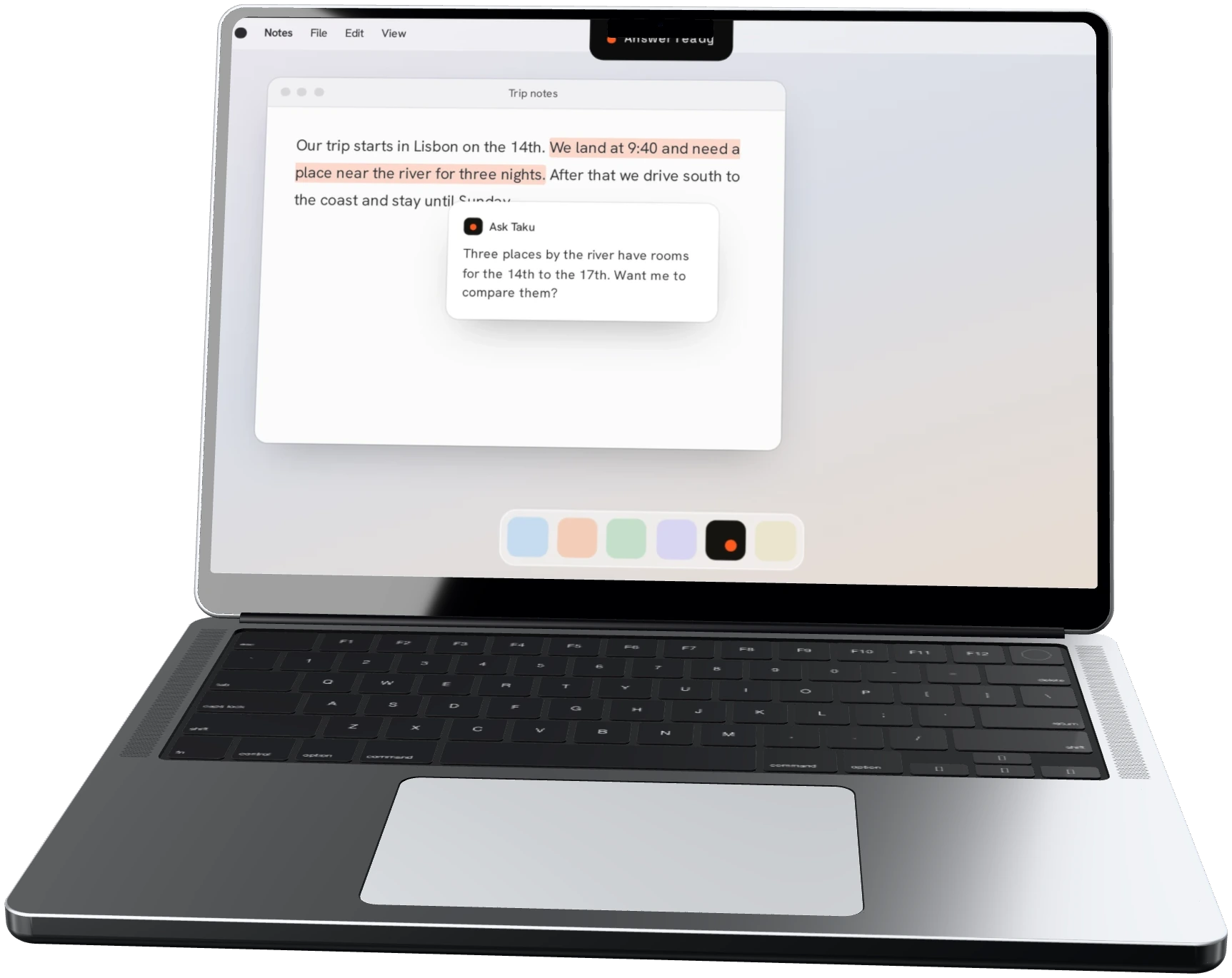
Taku for MacThe Mac you already have, now with Taku.Learn more
MarketplaceBorrow brilliance. Make it yours.Explore Marketplace
Build it with us
Taku OS is open source. Install it, build on it, and tell us what breaks.